This week we had a great discussion about our Internet and computer use contract. It began, of course, with a conversation about always understanding everything in a contract before you signed it! That imperative led to a rich, lively and, I hope, meaningful exchange. I've shared parts of our contract and the conversation it engendered below. To make the post a little easier to read, I've highlighted the bits of the contract in blue and our conversation about each bit follows. This is a great time to review/revise your family's computer use expectations, too! It's much easier to put guidelines in place before a child has used the technology a lot than to try to pull back usage that has become problematic.
I, _________________________________, understand that using a computer or iPad at Prairie Creek Community School is a privilege, not a right. By signing this document, I promise to abide by the following rules:
- Even this standard opening led to great questions. We talked about the difference between an accidental breaking of a rule and an on purpose one and how the consequences would be different. We also talked about all of the ways we learn at Prairie Creek – technology among them – and how it's important to choose the best one and not just turn to technology every time.
I will stay within the domain (i.e. www.nasa.gov) that I have been given permission to use. If I use a search engine, such as Google, I will work with an adult.
- Many kids had had the experience of following one link to another while on the web, all the while getting farther and farther away from what they were originally looking for (and farther and farther away from kid friendly content.) We talked about YouTube being one of the easiest places to "just keep clicking" (or, with the nefarious "auto-play") just keep watching. The rule above keeps that from happening — kids don't watch videos unless we have OK'd it and then they just watch the one we've agreed to. I highly recommend putting this rule in place at home, too!
- Fourth and fifth graders need help learning how to search. How do you design a search string that will give you what your looking for. When we are using the Internet for focussed research (as we will for our pre-revolutionary America theme) I usually provide a list of links I've hand chosen. When they are researching something independently, it's important for an adult to help them craft a search string and help them sort through the results. Which sites have vetted information? Which sites can I read and make sense of?
- Image searches are particularly problematic and should always be done with an adult.
As we use Google Drive, I will keep my account for PCCS academic use only. I agree to abide by any new rules that we develop as we continue to improve the program.
- Every child has a Google Drive account. They do not have e-mail as part of this account. They are allowed to work at home on projects (including ones they are doing independently.) . They are allowed to co-write with other students. Students are not allowed to use the comments part of a document as a social text exchange. They are not allowed to make "posting walls" for friends to write messages to each other. Anything they share with another person they must also share with their teacher.
- We let the kids know that we have access to their accounts and we can also call up histories. In addition, I have a document that sets some guidelines for group on-line writing that can help establish good habits (i.e. don't erase another person's work and redo it.)
I will not download or install any programs. I will not change computer settings unless instructed by an adult.
- We had a great conversation about viruses and malware. Students learned not to click on things they didn't understand.
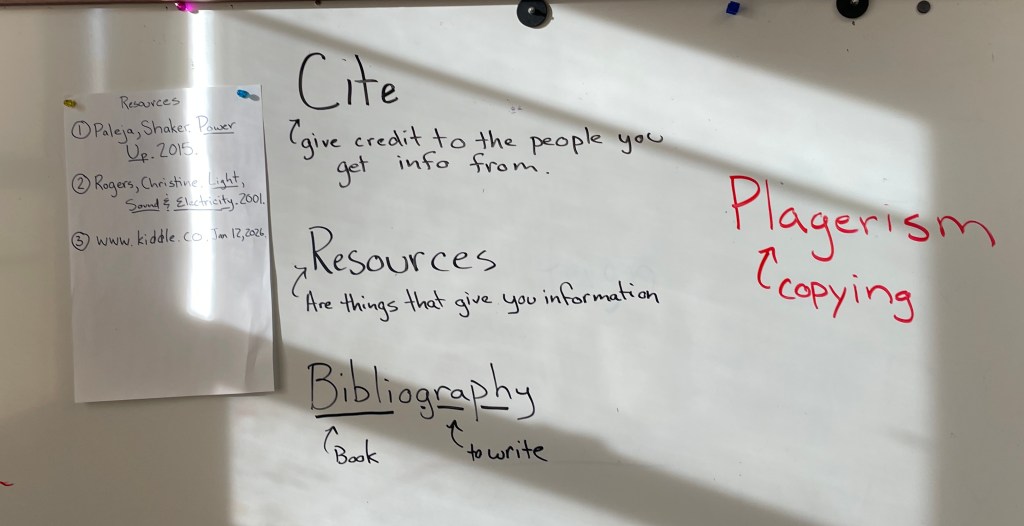
I will try my best to reference (give credit to) the websites from which I use information and pictures.
- This will come up again in much greater detail when we begin working on personal projects.
If I come across a page that makes me uncomfortable, I will close the laptop or iPad and find an adult right away.
- It's very, very important that kids know that sometimes, despite their best efforts, they may end up at a page that doesn't seem appropriate. As long as they find an adult when this happens, they won't be in trouble. We really emphasize this. It's important that students see us as trusted adults that can help them navigate the web — not people they should hide things from.
- Similarly, we urge you to set up similar guidelines at home. In addition, no child should have access to technology in their bedrooms. If you have a Kindle with Internet access, consider making it a reading device only or only have paper books in the bedroom. Given the effect of blue light on a human's circadian rhythms, that might not be a bad rule for us all!
I will not give out my name, age, address or other personal information to any site or person on the web.
- This is a great opportunity to talk about personal safety in general. If your child has a cell phone, they should not give that number to anyone without your permission. We had a good opportunity to talk about "chat" and group game play and how it's best not to share any personal, identifying information on the web because occasionally, the person who claims to be a ten year old from Edina isn't a ten year old from Edina.
I will not share my password with other students nor use an account that is not mine.
- At some point in their on-line lives, students will come across a page that someone else hasn't logged out of. We emphasize that using someone else's account is, in fact, fraud. It's a big deal and they shouldn't do it.
- We talked about password etiquette. Someone else's password is private information, not a puzzle to try to figure out. They should look away from a screen when someone is typing in a password.
- We also let them know that we have access to their passwords for all school accounts and can log in as we need to. I recommend that you have access to all of your children's social media and e-mail accounts as they get older, too. If you establish this as a family norm early, it will just be a part of the privilege of having technology.
At home and at school, I will not use a computer to hurt another person.
- We talked about how technology can keep us from understanding the impact of our behavior. When kids are in pre-school (and later) they often try out "being mean". However, when they are face to face with the child, they can see the impact of their behavior right away and, because of mirror neurons, they feel empathy for the person they've hurt. It doesn't feel good and kids learn (eventually… hopefully) not to do it. On-line meanness doesn't trigger empathy in the same way. Kids get the excitement of being mean but don't see the consequences. Because of this and because of the "adult free" world kids construct on-line, cyber bullying and on-line meanness happen far more often than anyone would like
- Having trusted adults to help kids make good decisions is important. Just as important is making sure your child knows you are a resource if they are being harassed by someone on line.
- Being in a group using technology increases the likely hood of us doing something unkind. When I asked the Herons how many of them had gone along with a group and done something wrong that they wouldn't have done by themselves. Almost everyone raised their hands. I let them know that this is true for everyone but if you're aware of it, you can recognize situations early and steer them in a different direction or get out of them.
- Most fourth and fifth graders at Prairie Creek have very limited access to chat, text and other social media — that makes this a perfect time to have conversations and share your expectations.
Whew! It was a lot of information but we'll return to it throughout the year. Many of the kids wanted to keep talking – sharing their experiences and cautionary tales. Again, this is a great time to begin (or continue) your family conversations about technology and social media. It should be an on-going conversation as they change developmentally and, just as importantly, the technology they have access to changes.


 The Rookery
Leave a comment